
PickleCrew for pickleball organizers
The six steps of a week in PickleCrew, one screen each, and what the app does not do today.
What does PickleCrew do for a pickleball organizer?
PickleCrew keeps one standing crew in one place. You invite players with a link, schedule a repeating night, collect RSVPs with a waitlist for full courts, run a format and log games to a leaderboard. It is a web app that works on phones, and the six steps below show each screen.
What it does not do today
Read this first, so you know whether PickleCrew fits.
- It does not collect payments or dues.
- It does not book courts.
- It does not send game-time reminders.
- It does not send text messages. Notices go by push and email.
- It does not export to a calendar.
- It does not read DUPR ratings. Its rating is its own.
- It is not a native app: it is a web app that works on phones.
There is no paid plan today.
Your week in PickleCrew, in six steps
These are the app's own screens, filled with made-up data. The crew, the players and the invite code are not real.
Step 1
Create the crew
A short wizard: name the crew, say where it plays, choose who can see it, add a photo. A new crew is private until you make it public.
Example: step 1 of the create-a-crew wizard, the app's own screen.
Step 2
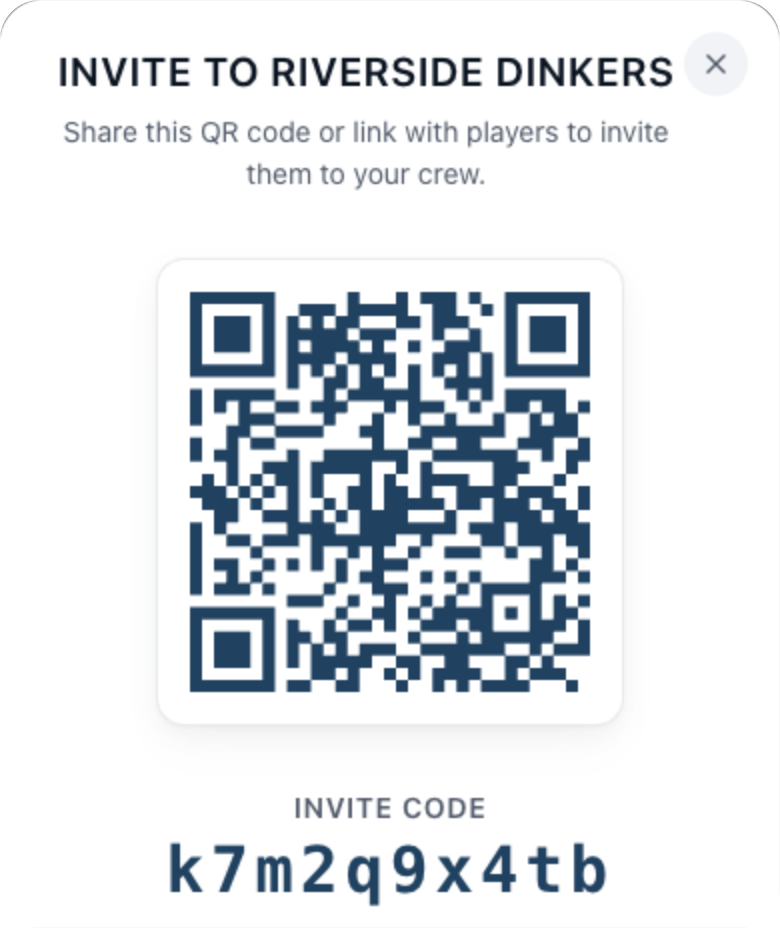
Invite with a link or a code
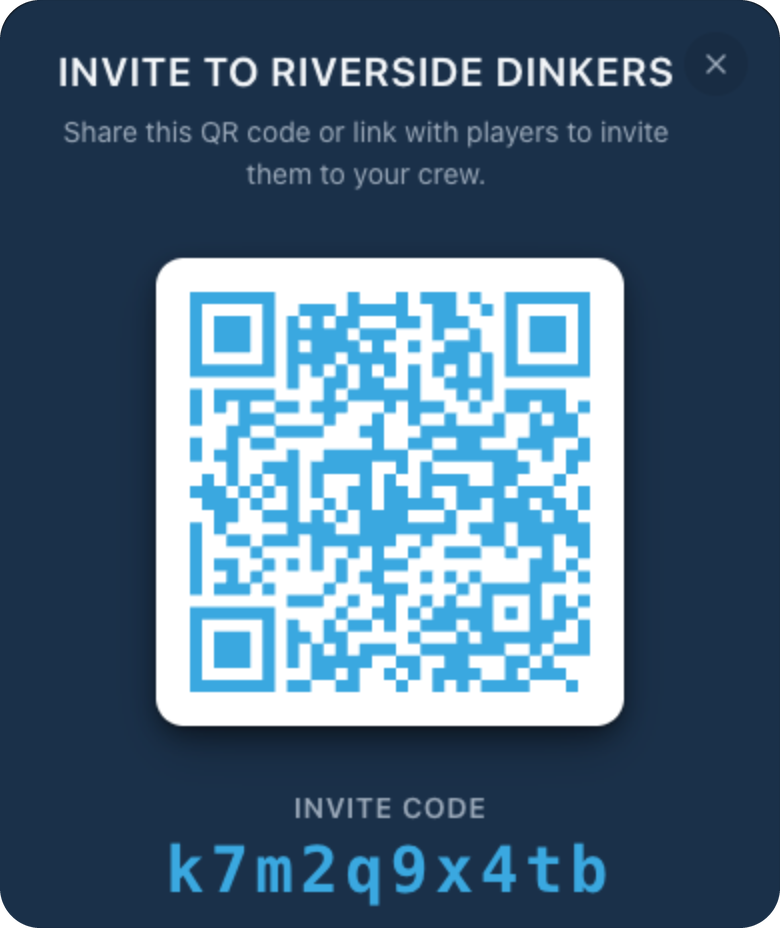
The crew's Invite screen shows a QR code, an invite code and a Copy link button. Players sign in or create an account to join, and you can turn off member sharing.
Example: the Invite screen for a crew, with a made-up code.
Step 3
Schedule a repeating night
Give the event a start and end, a court note and a repeat: every week, every two weeks or every month. Switch on Require full courts to hold players in fours.
Example: the event form, filled in for a weekly Thursday night. Creating an event uses the same fields.
Step 4
Collect RSVPs, with a waitlist for full courts
Players answer Going, Maybe or Can't Go. With Require full courts on, players beyond a multiple of four wait on a waitlist, and get a push when a court fills.
Example: an event card with Require full courts on. It counts 8 confirmed and 1 waitlisted, and says how many more make a court.
Step 5
Run a format
From the Compete tab, an admin starts Quick play, a League, a Tournament or The Gauntlet inside a crew. Leagues are round robins, and tournaments are single elimination.
Example: the Compete tab for a crew you admin, before anything has been started.
Step 6
Log games and read the leaderboard
Log a game and the crew leaderboard updates. It ranks on win rate weighted by games played, and the rating is PickleCrew's own scale, not a DUPR number.
Example: the crew leaderboard with four made-up players.
Pick something else if
| If you need | Look for |
|---|---|
| Players to pay you in the app | An app that lists online payments |
| To book courts through the app | A court-booking or club-management app |
| Reminders or texts before every game | An app that lists automatic reminders |
| Events on your phone's calendar | An app that lists calendar sync |
| DUPR ratings read for you | An app that says it syncs DUPR |
| A native app on your phone | An app with a store listing |
| Players to find your session across a region | An app with a regional session board |
Players to pay you in the app
- Look for
- An app that lists online payments
To book courts through the app
- Look for
- A court-booking or club-management app
Reminders or texts before every game
- Look for
- An app that lists automatic reminders
Events on your phone's calendar
- Look for
- An app that lists calendar sync
DUPR ratings read for you
- Look for
- An app that says it syncs DUPR
A native app on your phone
- Look for
- An app with a store listing
Players to find your session across a region
- Look for
- An app with a regional session board
The best pickleball apps for organizers → a sourced, dated matrix.
PlayTime Scheduler and PickleCrew → a head-to-head, cell by cell.
Start your crew
If the steps fit your night, create your crew. To plan the first month first, read how to start a pickleball group, and for running the night itself, how to organize pickleball open play.