
How to start a pickleball group
The first month: why the group exists, where it plays, who you ask first and what to do when four people show up. Running regular sessions is a separate job, in the open play guide.
What do I need to start a pickleball group?
Start with a reason to meet, one court and time you can repeat, and four to eight people you already know. Invite them with one link, run an easy first session and agree how you will wait your turn. This page covers the first month. Running regular sessions is the open play guide's job.
| Week | What to do | Done when |
|---|---|---|
| Week 1 | Settle the reason, the court and the time | You can say all three in one sentence |
| Week 2 | Invite a first handful and run a short first session | Everyone who came knows everyone's name |
| Week 3 | Run the same session again and change one thing | The group agrees how it waits its turn |
| Week 4 | Fix the next four dates and share the invite link | Anyone in the group can bring a friend |
Week 1
- What to do
- Settle the reason, the court and the time
- Done when
- You can say all three in one sentence
Week 2
- What to do
- Invite a first handful and run a short first session
- Done when
- Everyone who came knows everyone's name
Week 3
- What to do
- Run the same session again and change one thing
- Done when
- The group agrees how it waits its turn
Week 4
- What to do
- Fix the next four dates and share the invite link
- Done when
- Anyone in the group can bring a friend
Where to go next
How to organize pickleball open play takes over when the line for a court gets long.
Pickleball etiquette has the courtesies to agree on, with a printable court sign.
Five decisions for the first week
- Why it exists. Write one sentence: who the group is for and what you play. "Tuesday evening doubles for people new to the game" is a reason. "Pickleball" is not. The sentence decides who you invite and how you run a session.
- One court, one time. Pick a venue and a repeat slot, and ask the venue about reservations, fees and nets before you invite anyone. To find courts near you, USA Pickleball's places to play page points to Pickleheads, which it calls the official court and game finder of USA Pickleball.
- A first handful. Invite four to eight people you already know. Four fill one court, and a few more mean one no-show does not cancel the session. The table below shows who plays and who sits at each head count.
- One way in. Send one invite link. If your people live in a text thread, keep the thread and put the link in it. In PickleCrew a member shares the crew's invite link or QR code from the crew's Invite screen.
- How you wait your turn. Decide before the first session and say it out loud: who comes off, and who is next. The simplest versions are in the open play guide. PickleCrew's crew setup has an optional House rules box where you can write it down.
What to do when only some people turn up
| Players | Courts | Playing | Sit out | Need for next court |
|---|---|---|---|---|
| 4 | 1 | 4 | 0 | 4 |
| 5 | 1 | 4 | 1 | 3 |
| 6 | 1 | 4 | 2 | 2 |
| 7 | 1 | 4 | 3 | 1 |
| 8 | 2 | 8 | 0 | 4 |
| 9 | 2 | 8 | 1 | 3 |
| 10 | 2 | 8 | 2 | 2 |
| 11 | 2 | 8 | 3 | 1 |
| 12 | 3 | 12 | 0 | 4 |
| 13 | 3 | 12 | 1 | 3 |
| 14 | 3 | 12 | 2 | 2 |
| 15 | 3 | 12 | 3 | 1 |
| 16 | 4 | 16 | 0 | None |
| 20 | 4 | 16 | 4 | None |
With five, six or seven players one court runs and the rest wait their turn. Rotate who sits, so it is not always the same people. PickleCrew's quick play gives the sit-outs to the players who have sat out the fewest rounds.
Print the first-session checklist
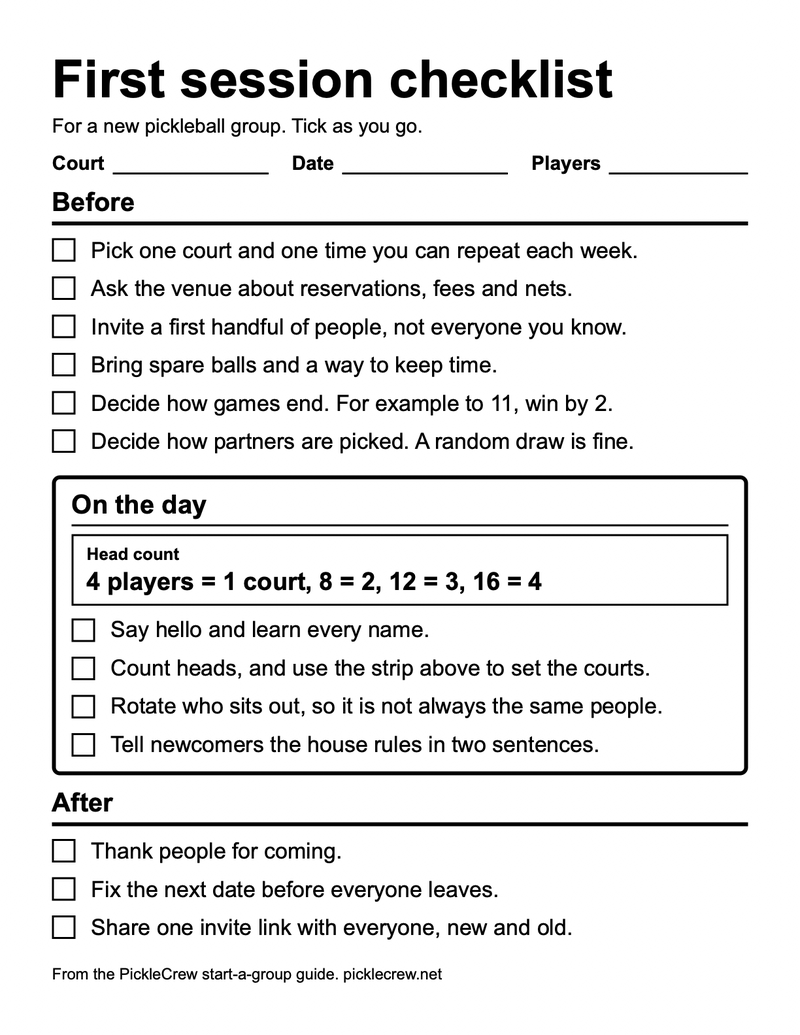
One page, set for US Letter and for A4, with Court, Date and Players fields, a head-count strip and a box to tick for every step.
Read the checklist here
Head count. 4 players = 1 court, 8 = 2, 12 = 3, 16 = 4
Before
- Pick one court and one time you can repeat each week.
- Ask the venue about reservations, fees and nets.
- Invite a first handful of people, not everyone you know.
- Bring spare balls and a way to keep time.
- Decide how games end. For example to 11, win by 2.
- Decide how partners are picked. A random draw is fine.
On the day
- Say hello and learn every name.
- Count heads, and use the strip above to set the courts.
- Rotate who sits out, so it is not always the same people.
- Tell newcomers the house rules in two sentences.
After
- Thank people for coming.
- Fix the next date before everyone leaves.
- Share one invite link with everyone, new and old.
Keep the text thread, add a link
You do not have to move anyone. Keep the group text, and put one PickleCrew invite link in it.
- What the link is. The crew's join link. A member shares it, or its QR code, from the crew's Invite screen, which also shows the invite code, a Copy link button and, on devices that support sharing, a Share button.
- What opening it needs. A PickleCrew account. Someone without one is sent to create an account, and the app is written to take them back to the invite after a three-step profile screen.
- Who may share it. Crew admins always can. Other members can only when the crew allows member invites, which is on by default.
When the group text stops working
When the thread gets long, these are the parts of PickleCrew that help. Each is read from the app's code.
- A count of who is coming. Members answer yes, no or maybe to an event, and the yes answers are kept in the order they arrive.
- A repeat slot. An event can repeat every week, every two weeks or every month. Only crew admins can create events.
- Whole courts only. An admin can switch on Require full courts. The first whole fours, in the order they said yes, are confirmed, and the rest are waitlisted and told "You're in" when a full court is filled. The open play guide explains what that waitlist does and does not know.
Start the crew
To make the crew, create an account and choose Create a crew. The wizard asks for a name, then optional house rules, a club and location, who can join and an optional skill range, and a cover photo. A new crew starts private, so only invited players can join. The last screen, Your crew is ready, has an Invite players button.
Frequently asked questions
How to start a pickleball club?
A club adds structure a group can skip at first: a name, written rules and someone in charge. In PickleCrew a crew has a name, an optional house rules box and admins, so you can start there and add structure when the group needs it.
How to organize a pickleball group?
Name one organizer, send one invite link and keep one fixed time and court. When the line for a court gets long, choose a rotation and say it before play starts. The open play guide has the table and the choices.
How to start a pickleball league?
A league is a fixed schedule with standings, so start with a group that already meets. In a crew you admin, PickleCrew's Compete tab offers a League, described in the app as a round robin over multiple weeks with full standings.